

 Shopify blog


Retail payment options now extend beyond cash and credit cards as customers use different methods for online and in-store purchases. According to Worldpay’s 2026 Global Payments Report, digital wallets accounted for 56% of global ecommerce transaction value and 33% of in-store spending.
Reviewing retail payment options can help you decide which methods are appropriate for your store, customers, and sales channels. A point-of-sale (POS) system can process multiple payment types and keep payment activity connected across locations and online stores.
This guide explains different types of retail payment processing methods. It covers the advantages and disadvantages of each, along with payment trends shaping retail in 2026.
What are retail payment options?
Retail payment options are the methods customers can use to pay for online or in-store purchases. Common examples include cash, cards, and digital wallets. The payment methods available at checkout can affect how customers complete purchases and whether or not they abandon a cart.
Types of retail payment methods
Retailers can review different payment methods based on customer preferences, sales channels, processing costs, and operational requirements. Below are common payment options available for online and in-store purchases:
- Cash
- Paper checks and e-checks
- Credit cards and debit cards
- Digital wallets and mobile payments
- Gift cards and store credit
- Custom payments
- Cryptocurrency
- Buy now, pay later
- Loyalty points
- QR code payments
Cash
Cash is a common retail payment method for in-store transactions. According to the Federal Reserve Financial Services 2026 Diary of Consumer Payment Choice, cash accounted for 14% of US consumer payments in 2025, averaging six cash payments per consumer per month.
Benefits of accepting cash include:
- Immediate payment. Cash payments are received at the time of purchase, though funds still need to be deposited into a business bank account.
- No card processing fees. Cash transactions do not incur payment processing fees from card networks or payment providers.
- Customer access. Cash is useful for customers who do not use cards, digital wallets, or bank-based payment methods.
Cash also creates operational considerations:
- Customers may not carry enough cash for larger purchases.
- Store owners need secure cash storage and must make regular bank deposits.
- Holding cash on-site can increase the risk of theft by employees or external parties.
- Cash transactions require accurate tracking for accounting and reconciliation.
Cash usage varies by market. In markets with low card penetration, instant digital payments or cash transactions are preferred. In card-dominated markets like the US, cash usage is projected to decline. One report suggests cash will account for 9% of in person transactions by 2030, down from 16% in 2017.
Paper checks and e-checks
Check usage has declined in recent years, according to the Federal Reserve. Some major retailers have also stopped accepting checks. Target, for example, cited “extremely low volumes” of customers who still use them in a statement to the media.
An e-check is a digital version of a paper check. E-checks use the Automated Clearing House (ACH) to take money out of a customer’s checking account and deposit it directly into the merchant bank’s business account. E-checks act more like direct bank transfers, so they do carry a fee. But they are amongst the lowest fees of any electronic payment options because there are no credit card interchange fees for e-check acceptance.
Paper checks and e-checks can still be useful in certain retail contexts, especially for larger purchases or customers who prefer bank-based payments.
Benefits include:
- Lower fees: Paper checks do not involve card network interchange fees, though banks or check verification services may charge fees.
- Larger purchases: Some customers use checks for higher-value transactions.
- Customer preference: Checks may still be relevant for specific customer segments or business types.
Things to consider include:
- Paper checks need to be deposited, and funds may take several days to become available.
- Checks can bounce, be fraudulent, or be canceled before funds clear.
- If checks are mailed for online orders, retailers may need to wait for the payment to arrive and clear before fulfilling the order.
Credit cards and debit cards
Credit and debit cards are key payment methods. Worldpay’s 2026 Global Payments Report found US consumers spent more than $16 trillion using credit, debit, and prepaid cards in 2025.
Accepting credit cards can offer several benefits for retailers and customers. A study from the University of Adelaide and the University of Melbourne found that cashless payments, including credit cards, were associated with higher consumer spending.
Credit and bank cards also:
- Lend stores credibility. Major card networks such as Visa, Mastercard, Discover, and American Express are widely accepted by retailers.
- Increase access. Card payments let retailers accept purchases from customers who do not use cash.
- Have cash flow benefits. Credit and debit card payments are typically deposited into a business bank account on the payment provider’s payout schedule.
Caveats to these benefits are:
- Credit and debit card payments usually include merchant fees and processing fees. These fees vary, but they often range from 1.5% to 3.5% of the total sale.
- Stores may be responsible for some fraudulent card transactions, depending on the payment type and chargeback rules.
- Stores also need secure payment systems to help protect customer payment information.
Digital wallets and mobile payments
Another retail payment method is mobile or smartphone payments. These include digital wallet payment options like Apple Pay, Google Pay, and Samsung Pay. And the use of these apps is expected to be the fastest growing payment method worldwide by 2030, according to Statista.
Retailers that accept mobile and smartphone payments may see benefits such as:
- Customer convenience. It’s easy and fast for customers to pay through mobile wallets.
- Cash flow. Mobile payment funds, similar to credit and debit card payments, are typically deposited within three business days.
- Data availability. When customers pay with their smartphones, retailers may be able to collect customer data, including how frequently customers shop and how much they spend.
Cons of mobile payments include:
- You’ll need to confirm your POS accepts the digital wallets your customers prefer.
- Brick-and-mortar shops need hardware that can accept mobile payments.

Gift cards and store credit
Gift cards and store credit are payment methods retailers can offer to customers as a way to make future purchases.
Key benefits for retailers:
- Higher spending. Customers may spend more than the value of a gift card or store credit because they use prepaid value rather than a direct payment from a bank account. According to a Q4 2025 Fiserv report, 42% of consumers spend more than a gift card’s value.
- Flexibility. For returns and exchanges, issuing gift cards or store credit instead of refunds can give retailers more options.
Gift cards and store credit can also keep a sale within the business. If a gift card is not redeemed or an item is returned or exchanged, the original payment may remain with the retailer.
Disadvantages of gift cards and store credit include:
- There’s a risk of fraud since gift cards are typically purchased anonymously and are untraceable.
- Added expense to integrate software or hardware to accept gift cards as payment. Prevent this with a unified POS system like Shopify POS, which supports omnichannel gift cards that customers can buy online and use in-store (and vice versa).
Read: What Is Store Credit? How to Use It to Sell More
Custom payments
Some small business POS systems let retailers accept custom payment methods based on business needs and customer preferences.
That includes custom payments such as:
- Split payments. One example is when a group splits a restaurant bill across multiple credit cards. In a retail setting, this may look like two shoppers jointly purchasing a gift with two credit or debit cards.
- Split tender. Shoppers may want to pay for one order using more than one payment method. For example, a customer may pay for part of an order in cash and put the rest on a credit card.
- Partial payments. Some retailers accept a partial payment upfront and collect the remaining balance later through credit, payment plans, or layaway. Retailers may also accept an initial payment in-store and have the customer pay the rest online.
- Zero payments or IOU. Some retailers may offer layaway or other payment plans without an upfront payment. In these cases, the POS needs to account for the transaction and the remaining balance.
One benefit of custom payments is that they give retailers more ways to handle customer payments, depending on the transaction and the retailer’s payment policies. For some brick-and-mortar retailers, custom payments like split payments and split tender may be useful for meeting customer payment preferences.
However, split payments between multiple credit cards may mean that your store incurs higher credit card processing fees. It’s important that you consider the costs of offering these custom payment options. It may require investment in a more versatile (and possibly more expensive) POS system.

Cryptocurrency
Cryptocurrency is a digital payment method protected by cryptography, which is a secure communication technique that transmits information with encrypted contents. It exists on a decentralized network called a blockchain.
Cryptocurrencies are being adopted more and more. PayPal and the National Cryptocurrency Association found that 39% of US businesses already accept crypto at checkout, and 84% believe this payment method will become common within the next five years.
Though accepting cryptocurrencies like Bitcoin is a newer type of payment option, there are benefits to adopting it:
- Lower fees and no international fees. Cryptocurrency transactions can come with lower fees than other merchant fees. For example, as of Aug. 1, 2026, PayPal charges 0.99% per transaction, and 1.5% as of Aug. 1, 2026. Exchanging currencies may trigger additional fees.
- Refunds are entirely in the business’s hands. Cryptocurrency sales can only be refunded by the party receiving the funds. Customers cannot cancel the payment on their end or change their credit card number, so it’s easier for a business to keep track of its cash flow.
A 2025 Gallup report found 14% of American adults own crypto. Some demographics—like men aged between 18 and 49 (25%), college graduates (19%), and upper-income earners (19%)—are more likely to have crypto.
Staying ahead of the curve can help you create a successful and lasting business. Offering a retail payment solution, like cryptocurrency, that caters to future customer needs can be part of that equation. But there are downsides to be aware of:
- Cryptocurrency values can fluctuate dramatically.
- The IRS requires you to track each crypto transaction, including the date and value at time of transaction, which can lead to significant paperwork.
- A high volume of refunds can create extra work, since all transactions are permanent.
Retailers can accept cryptocurrency through a third-party payment processor or through a wallet they control directly.
A payment processor may make setup easier by converting crypto payments into local currency, creating transaction records, and handling some checkout steps. A direct wallet setup gives the retailer more control, but it can add more work around custody, security, and reconciliation.
Buy now, pay later
Buy now, pay later (BNPL) is a payment method that allows consumers to purchase goods and pay in installments.
BNPL lets shoppers split purchases into smaller payments. Many BNPL plans are interest-free when payments are made on time. Research suggests BNPL can increase spending compared with other payment methods, including credit cards.
Advantages of offering BNPL include:
- There are no upfront fees for consumers to use the service
- It extends credit to consumers without credit cards, enabling more consumers to purchase from your store
- BNPL entices casual shoppers to convert, which can lower cart abandonment rates
Disadvantages of this retail payment method are:
- BNPL providers may charge retailers higher processing fees than other payment methods
- Customers may make more impulse purchases, which can lead to higher return or exchange costs
- Customer service issues related to payments, refunds, or provider policies can affect customer satisfaction and how shoppers view the business
Shopify integrates Shop Pay in online stores and Shopify POS systems, so you can allow customers to pay in full at checkout or pay for an order over time with Shop Pay Installments. This method gives customers the option to split a purchase into interest-free payments.
Loyalty points
Loyalty points allow customers to accumulate points from their purchases. They can then redeem those points to pay for a future purchase, get discounts, or redeem for free gifts and other insider perks.
Consumers expect brands to offer a loyalty program of some sort: 49% of US consumers say top brands should offer points or reward systems to keep them coming back.
Pros of loyalty point payments include:
- It incentivizes customers to return for more, building customer loyalty and retention
- It provides insights about customer spending habits, making it easier to send targeted offers and deals
Cons of loyalty point payments are:
- It adds an extra layer of complexity compared to other payment methods
- It can reduce short-term revenues
With Shopify POS, your loyalty program automatically tracks rewards while providing insights into purchasing patterns—joining customer data across both online and in-store purchases. This unified commerce approach means you can:
- See which products drive the most loyalty program engagement
- Identify your most valuable customers across all channels
- Create targeted marketing based on complete customer data
- Drive repeat business with personalized offers

QR code payments
QR code payments let customers pay by scanning a code with their phone. The code opens a payment page or mobile wallet flow. The customer can review payment details and authorize transactions from their device.
Common use cases for QR code payments include:
- Pop-up shops or market stalls
- Tableside payments at restaurants, cafés, or food trucks
- Contactless checkout in retail stores
- Events, classes, or service businesses that collect payment in person
Pros of using QR code payments are:
- Customers can pay from their own phone
- It’s useful for contactless in-person checkout
- It reduces the need to pass a card reader back and forth
A retailer can take QR code payments in Shopify POS by adding items to the cart, tapping Checkout, and then choosing a supported local payment method, Shop Pay, or Shop Pay Installments so a QR code appears on the POS screen. The customer scans that code on their own phone and finishes payment on their device. For the best in-store experience, use a customer-facing display like a POS terminal that you can turn toward the customer to scan the code.
Some drawbacks also include:
- Customers need a smartphone and internet connection to complete payment
- Some customers may be unfamiliar with scanning QR codes
- Staff may need to explain the process during checkout
How retail payments work (processor vs. gateway vs. POS)
Payment processor vs. payment gateway: What each does
There are two technologies at play when processing payments either online or in your retail store:
- Payment gateway. The secure bridge between the customer and the business. It’s the gateway’s job to collect payment data, encrypt it, and send it to the processor. (If you’re collecting payments in person, your store’s POS system acts as the gateway.)
- Payment processor. Once the gateway has delivered the message, a processor like Shopify Payments does the heavy lifting behind the scenes to actually move the money. It communicates between the business’s bank and the customer’s bank to finalize the transaction.
What happens after checkout: Authorization, settlement, and funding
A few things happen after a customer taps their card or digital wallet before the money lands in your business bank account:
- Authorization. When a customer taps their card, the payment gateway asks the customer’s bank if they’re able to pay for the transaction. It validates the transaction, using criteria like available funds and credit, while also checking for potential fraud.
- Settlement. If approved, money is moved from the customer’s bank to your business account. This can take a few days.
- Funding. This is when money arrives in your bank account, minus any payment processing fees.
How to accept various retail payment methods
Before you can start accepting payments, complete the following steps:
- Open a business bank account
- Choose the right POS
- Purchase the right hardware
- Select a payment gateway
1. Open a business bank account
The US Small Business Association suggests every business open a business bank account upon receiving an employer identification number, which is a federal tax ID assigned by the IRS to identify the business entity.
Business bank accounts will provide you with limited liability protection, help you in your bookkeeping, and make things a little less complicated when tax season rolls around.
The right business bank account will depend on the needs of your business. Some things to consider:
- Do they have any introductory offers?
- What account features and services do they offer (e.g., online and mobile banking services, check-writing services)?
- What are their interest rates for savings and checking accounts?
- What are their transaction fees? Do they charge by the week, month, year? Do they charge based on transaction volumes?
- Do they have early termination fees?
- Do they have minimum account balance fees, and if so, what are they?
- Are they compatible with your other business software (e.g., payroll, accounting)?
Tip: With Shopify Balance, you can skip opening a business bank account and manage your finances in Shopify. Avoid monthly and hidden fees, earn cashback rewards on business purchases, and more.
2. Choose the right POS
A POS system affects which payment methods a retail business can accept. Payment options depend on the POS software, payment processor, and any third-party payment apps connected to the system.
When comparing POS systems, consider these questions:
- Is the system designed more for in-store or online usage? If you’re operating both in-person and online, it’s best if you can find a POS that can connect your in-store and online sales so your inventory is updated in real time.
- Will it allow you to accept multiple payment methods? The more payments your POS is able to accept, the more business you can accept.
- Does it collect sales data and provide analytics? This will help you understand which products are selling and which ones are not.
- Does it build customer profiles? This will show you what marketing campaigns work on what customers and what customer experience is bringing them back to your store.
- Does it integrate with your other tech? Check to see if your POS system has partnerships with other software and apps (e.g., your accounting software, the apps designed for your store).
- How much does it cost? You can find open-source POS systems that cost you nothing, as well as POS systems that require a monthly subscription. Make sure the system you choose has the right features and functionality at the right price point for you.
- Does this system have good support? Technical issues are inevitable, so choosing a company that has a good record for helpful customer and technical support will alleviate a lot of headaches for you in the future.
A POS system with integrated payment processing, like Shopify POS, allows retail businesses to:
- Process sales and take payments
- Offer flexible returns, exchanges, and store credits (e.g., buy online, return in-store)
- Provide flexible payment, purchase, and delivery options
- Gain full visibility into your inventory across all locations, updated in real time
- Access robust analytics and reports
- See customer profiles, order histories, and loyalty program status
- Leverage app integrations to extend your POS system’s capabilities
- Easily integrate with your business tech stack (e.g., marketing, accounting software)
3. Purchase the right hardware
Retailers need hardware to process payments like tap to pay. Many times, the POS company you choose will offer hardware as part of a package deal with its POS software, or it will recommend hardware that is compatible with its POS software.
Common hardware includes the following:
- A POS terminal, which is the device your POS software runs on. You can also install mobile POS software on a tablet, smartphone, desktop, or laptop with an internet connection.
- A tablet or smartphone to process transactions and accept payments anywhere in-store. This hardware can also help staff count and adjust inventory on the go.
- A cash drawer to safely store cash people use to pay for products.
- A barcode scanner to read an item’s product details and ring up sales. Shopify POS lets you scan a product’s barcode using your tablet or smartphone camera, rather than using a barcode scanner. To get started with barcodes, you can try Shopify’s free barcode generator.
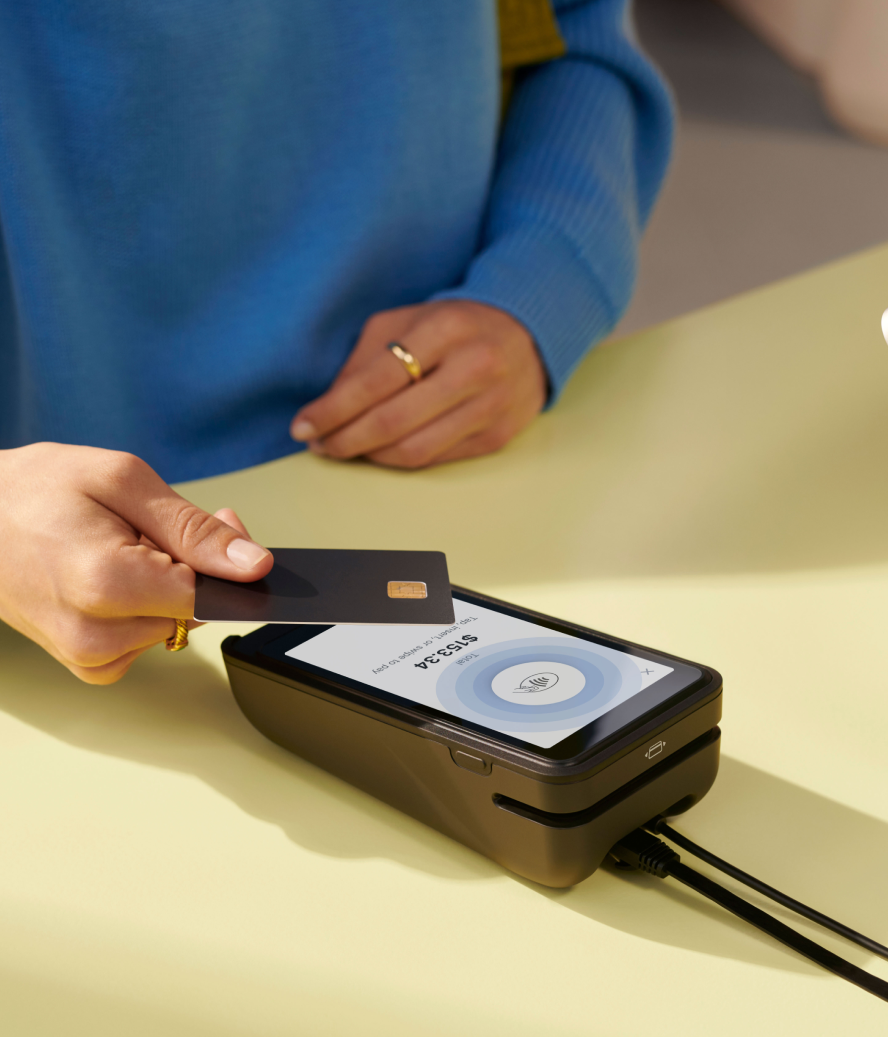
- A credit and debit card reader to accept debit and credit card payments. This hardware lets customers swipe, tap, or insert cards with an EMV chip to make a purchase.
- A receipt printer, in case customers prefer paper receipts over emailed ones.
Finding the right hardware for your business can be a balancing act. Figure out which payment methods are popular with your client base and the type of hardware you’ll need to invest in so you can process those payment methods.
Shopping for a POS system and hardware can feel tedious. Before you decide what’s right for you, learn which factors influence how much a POS system costs.

4. Select a payment gateway
Here are some things to consider when choosing which payment gateway to go with:
- Does the gateway integrate well with your POS system?
- What types of payment methods does the gateway accept? Make sure to find the gateway that works with your customer base’s preferred payment methods.
- What type of pricing options does the payment gateway offer? There are a number of ways a processor can structure its pricing options. Choose the one that works best for your business.
- Does this gateway provide 24/7 customer support? Technical issues with your gateway are going to stop sales from coming in, so make sure whatever gateway you choose has good customer support.
How to choose a retail payment processor
Choose one that fits your retail business’s needs by evaluating:
- Reliability. Payment processing downtime can interrupt checkout and lead to lost transactions. Review the processor’s uptime statistics and incident history. Look at how often outages occur and how long they last. If downtime becomes frequent, compare providers with higher uptime or clearer incident-response practices.
- Security. Check whether the processor follows industry security standards, such as the Payment Card Industry Data Security Standard (PCI DSS). These standards help protect payment data for your business and customers.
- Fees. Compare each provider’s transaction costs, setup fees, monthly charges, chargeback fees, foreign exchange rates, and international transaction fees. Look for fees that may not appear in the headline rate. Choose a provider with costs that fit your budget, sales volume, and target markets.
- Payment method support. Review the payment methods each processor accepts. These may include credit cards, debit cards, digital wallets, BNPL options, bank transfers, and local payment methods. Prioritize the payment methods your customers already use.
- Settlement speed. Check how long it takes for funds to reach your business bank account after a transaction. Some processors offer next-day or same-day payouts. Others may take several business days. Compare settlement timelines and any fees tied to faster payouts.
- Hardware compatibility. Confirm that the processor works with your current POS hardware, card readers, barcode scanners, receipt printers, and mobile devices. If new hardware is required, factor those costs into the total price.
- Contract terms. Review the contract length, cancellation policy, early termination fees, equipment leases, and rate-change terms. Shorter contracts or month-to-month options may give your business more flexibility if it needs change.
- Scalability. Choose a processor that can handle higher transaction volume as your business expands. Review volume limits, pricing tiers, multilocation features, and available tools for online and in-person selling.
- Integration. Check how well the processor connects with your POS system, ecommerce platform, and accounting software. A direct integration can reduce manual work and lower the chance of data-entry errors. Request a trial or demo to test compatibility before committing.
- Customer service. Responsive customer service can help resolve payment issues faster. Check whether the processor offers 24/7 help and multiple contact channels, such as phone, email, and live chat. Read reviews and ask for referrals to compare response times, availability, and issue-resolution practices.
If your business runs on Shopify, Shopify Payments is natively integrated with Shopify’s commerce platform and retail tools. That can simplify setup, reporting, and day-to-day operations compared with using a separate processor and POS stack.
Security and compliance checklist (PCI DSS v4.0.1)
Every business has a legal obligation to protect customer data. Payment information, in particular, is heavily regulated. Customers also need to trust you with this data before they buy from you.
Choose a retail payment processor that meets PCI DSS requirements by looking for features like:
- Data encryption. This ensures data is encrypted the moment it hits the card reader and isn’t decrypted until it reaches the processor, so hackers can’t eavesdrop on data transferred between systems.
- Regular security updates. Protecting systems against malware is just one PCI DSS requirement. Check your processor offers regular security updates to patch any vulnerabilities in the software.
- Fraud detection. Address verification services check whether a customer’s billing ZIP code matches the card owner’s. Some services may offer IP fraud scoring to flag suspicious orders.
Trends in retail payment methods
Staying up to date with new payment technologies can help ensure your business continues to meet your customers where they are.
AI-assisted and agentic payments
Artificial intelligence (AI) platforms like ChatGPT have become a top tool for many Americans, with one survey finding 59% of respondents report using AI Gen tools for shopping.
Shopify’s Agentic Storefronts, built using Universal Commerce Protocol (UPC, co-developed by Google), give merchants the ability to sell through AI tools like ChatGPT, Microsoft Copilot, and Google AI Mode.
Agents can surface product data mid-conversation and allow shoppers to:
- Submit discount codes
- Apply loyalty rewards
- Set subscription billing preferences
The protocol works with a payment processor, including Shopify Payments, for customers to complete their purchases.
“Today’s shoppers expect to go from search to purchase in a single conversation,” said Nayna Sheth, head of product for agentic payments at Microsoft. “With Copilot Checkout, Shopify merchants can meet customers exactly when intent peaks while remaining at the center of every interaction and in control from start to finish.”
Local payments
Thanks to the democratizing effect of mobile phones, local payment methods (LPMs), like digital wallets, account-to-account (A2A) payments, BNPL offerings, and carrier billing, are gaining a share of checkout over global card schemes.
Local payments allow customers to pay with methods available only in that area of the world, such as:
- FedNow in the US
- Alipay and WeChat Pay in China
- Pix in Brazil
- UPI in India
- iDEAL in the Netherlands
Instant payments
Instant payments let customers move money from their bank account to a merchant in seconds. These payments are designed to confirm quickly and make funds available faster.
Adoption is growing as real-time account-to-account (A2A) payment networks expand. BCG reported that in 2025 real-time A2A payments made up around one-quarter of global retail digital payments, up 40% year-over-year from 2024. More than 70 countries now have real-time payment systems in place, though adoption varies by market.
Biometric payments
Biometric payments use physical traits like a fingerprint or face scan to authenticate a payment. Shoppers may already use biometrics when they approve mobile wallet payments. In stores, biometric checkouts can let customers pay without pulling out a card or phone.
Biometric payments are still developing, but adoption is expected to grow. Goode Intelligence forecasts that nearly 3.5 billion people will use biometric technology to secure payments by 2030.
Biometric payments can reduce steps at checkout and make purchases faster. They can also connect payment authentication with loyalty accounts, subscriptions, or customer profiles. Keep in mind, retailers must comply with any biometric data privacy laws.
Read more
- Experiential Retail 101: How to Host In-Store Events Your Shoppers Love
- What is Try Before You Buy? (+ 7 Brands Doing It Right)
- The Future of Checkout: How Retailers are Innovating the Payment Experience
- Payment Tokenization Explained: The End-to-End Process Of Safeguarding Digital Payments
- EMV Chip Cards are Coming to the U.S. (Here's What Merchants Need to Know)
- What is a Chip and PIN Machine and How Does it Work?
- What Is Near Field Communication? How to Use It and Why It’s Important
- Merchant Services: Everything Retailers Need To Know
- What is an EPOS System and How Does it Work?
Retail payment methods FAQ
What are the most common retail payment methods in 2026?
Amongst the most common payment methods in retail are:
- Cash
- Credit cards
- Debit cards
- Digital wallet payments
- Buy now, pay later
- Loyalty points
- Gift cards and store credit
What’s the difference between a payment processor and a payment gateway?
A payment gateway securely captures, encrypts, and sends a customer’s payment information at checkout. The payment processor takes that information to communicate between the banks so money can be moved, finalizing the transaction behind the scenes.
Do retailers still accept checks?
The rise of other, more convenient payment methods means some retailers don’t accept checks. Department stores like Target stopped accepting them in 2024 due to declining usage, but other retailers may still accept them at the register.
What security standard should retailers follow for card payments?
All retailers must follow the Payment Card Industry Data Security Standard (PCI DSS) v4.0.1, a global framework designed to protect cardholder data from theft and fraud. It has 12 compliance requirements that cover encryption, access control, vulnerability management, and security.

